Inessa
Air what you meant to show. Never what you didn't.
The control room for your live shows.
Inessa puts what you save, your rundown and what goes on screen in one control room. You get the preview; your audience gets only what you send.
Tell me when it's outOut in {mes}. We'll write that day, and for nothing else.
- Your audience sees what you chose
- Go live without rebuilding your scene
- The material is already in there
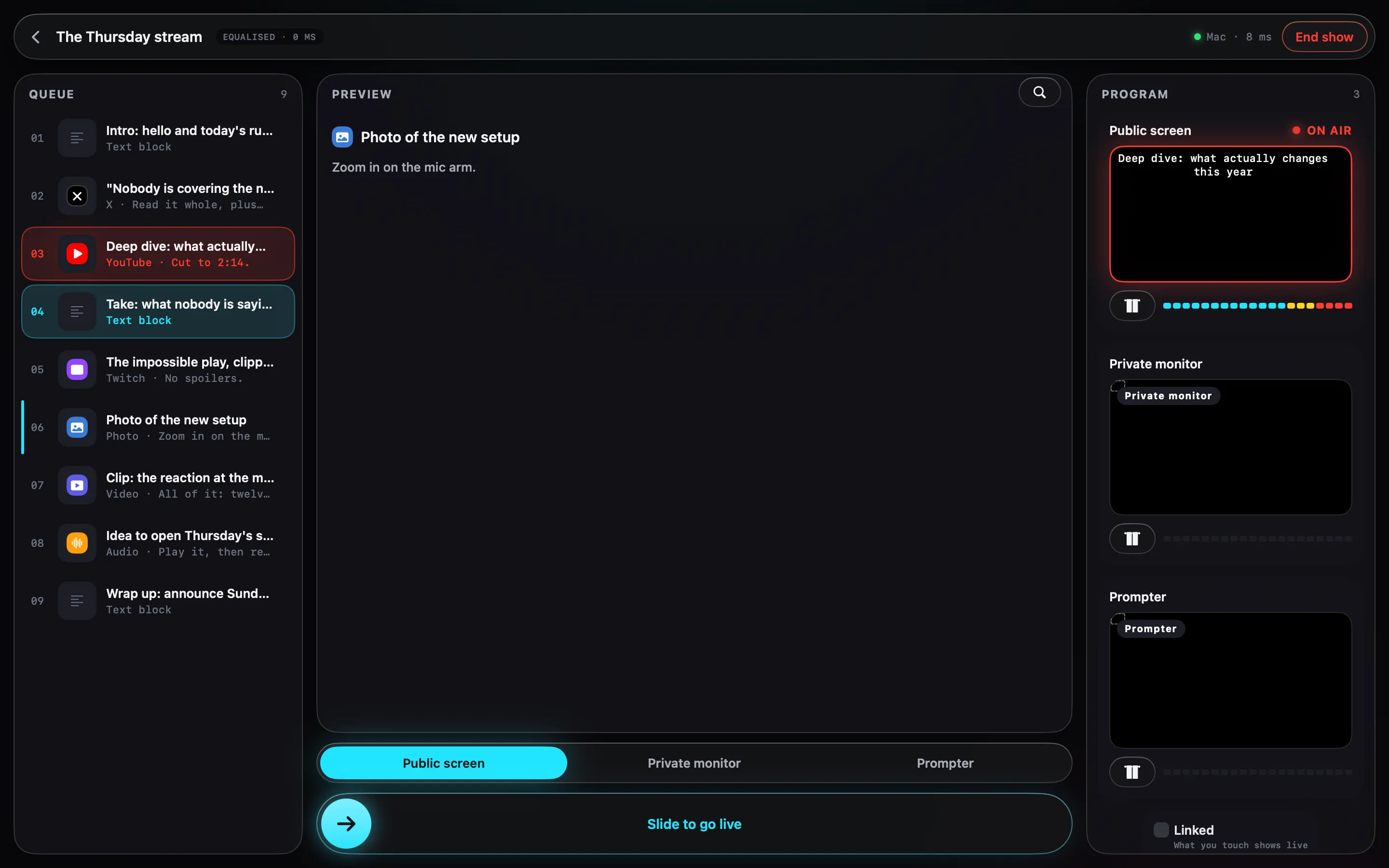
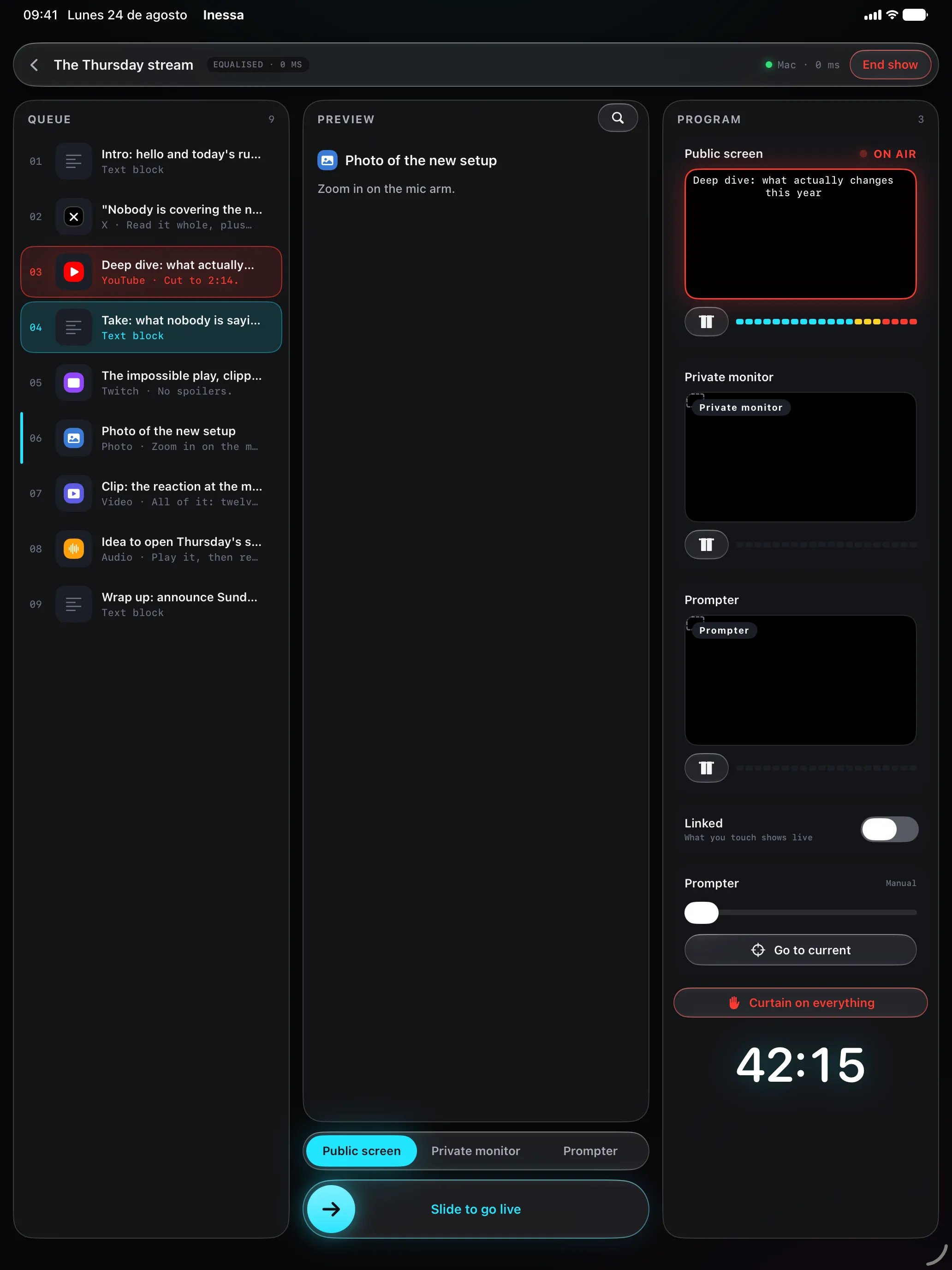
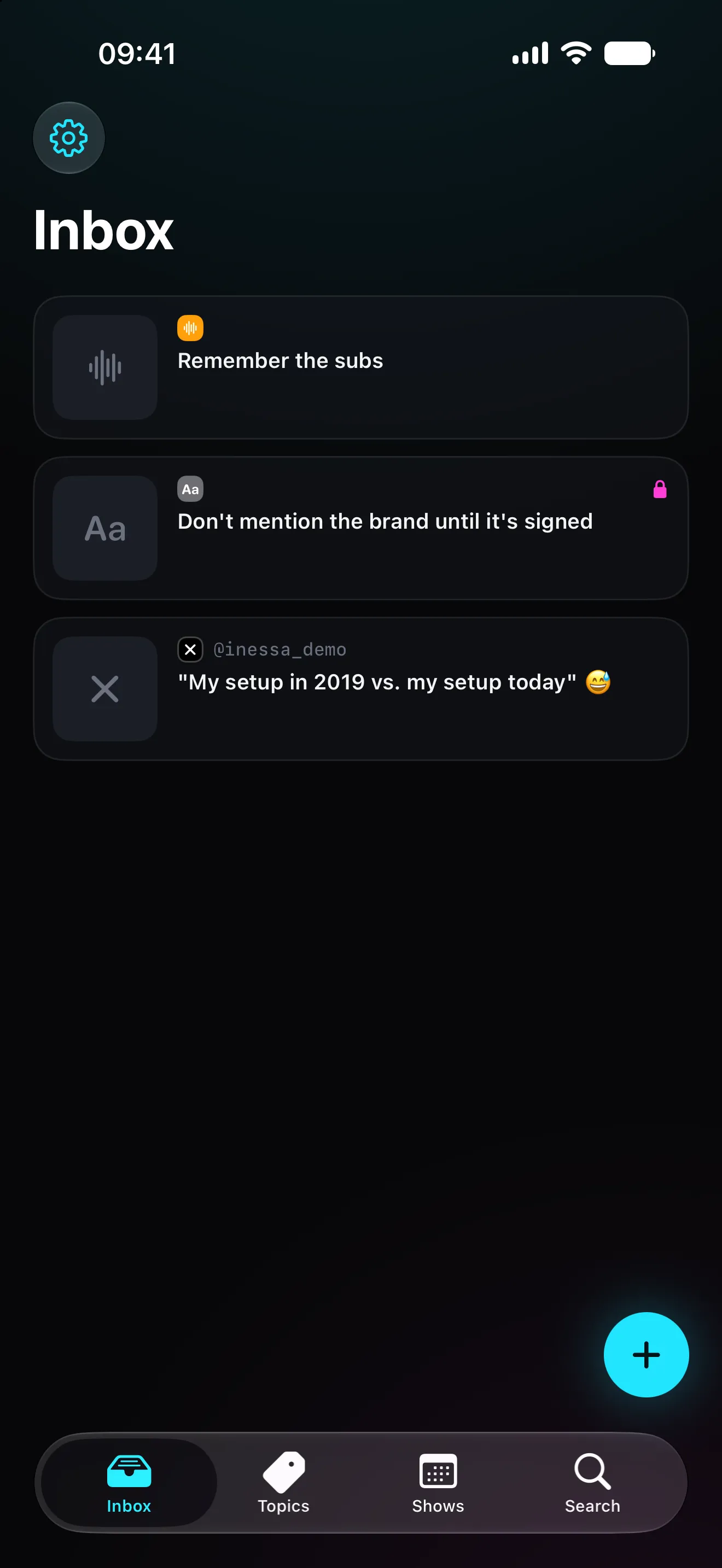
Your audience sees what you chose
Preview and programme never share a screen, and anything marked private cannot leave through a public output.
Go live without rebuilding your scene
Your OBS setup stays exactly as it is. Inessa opens windows; your software captures them like any other.
The material is already in there
What you saved all week is what you drag into the rundown. No scramble half an hour before.
No accounts, no servers
Nothing passes through a server of ours, because there isn't one. Your iCloud and your local network, and that's all.
Save from wherever you are
Share from iPhone, iPad or Mac; a Chrome extension with its own shortcut; the action button for dictating an idea. Transcription happens on the device itself, so it works in flight mode.
Topics, not folders
Tags with their own colour and emoji, shareable with whoever helps you prep. One item can live in several topics: there's no single right place to file it.
An actual rundown
Draggable cues, a note per cue, text blocks for the bits you talk through without showing anything. Plus a pre-flight check that answers the only question that matters beforehand: can I start?
Preview and programme kept apart
What you line up and what goes out are separate columns. Moving between them takes a swipe, and the panic button kills every output at once.
Outputs with a role
Public screen, private monitor and prompter. A 250 ms fade between items, per-output audio mixing, and a curtain for when something has to be covered right now.
A PC works too
Any browser on your network can be an output: open a tokenised address and paste it into a Browser Source. Whoever broadcasts doesn't have to be on a Mac.
Log and chapters
Everything you air is logged with its timestamp. When you finish you have the show summary and chapters ready to paste into the video description.
No accounts. No servers.
There's no sign-up because there's nowhere to sign up to. Your material lives on your device and syncs through your private iCloud; iPad and Mac talk over your local network, encrypted, without leaving the building.
Before you go live
You find it on Tuesday. You air it on Thursday.
Three steps sit in between, and none of them should cost you five open apps.
01
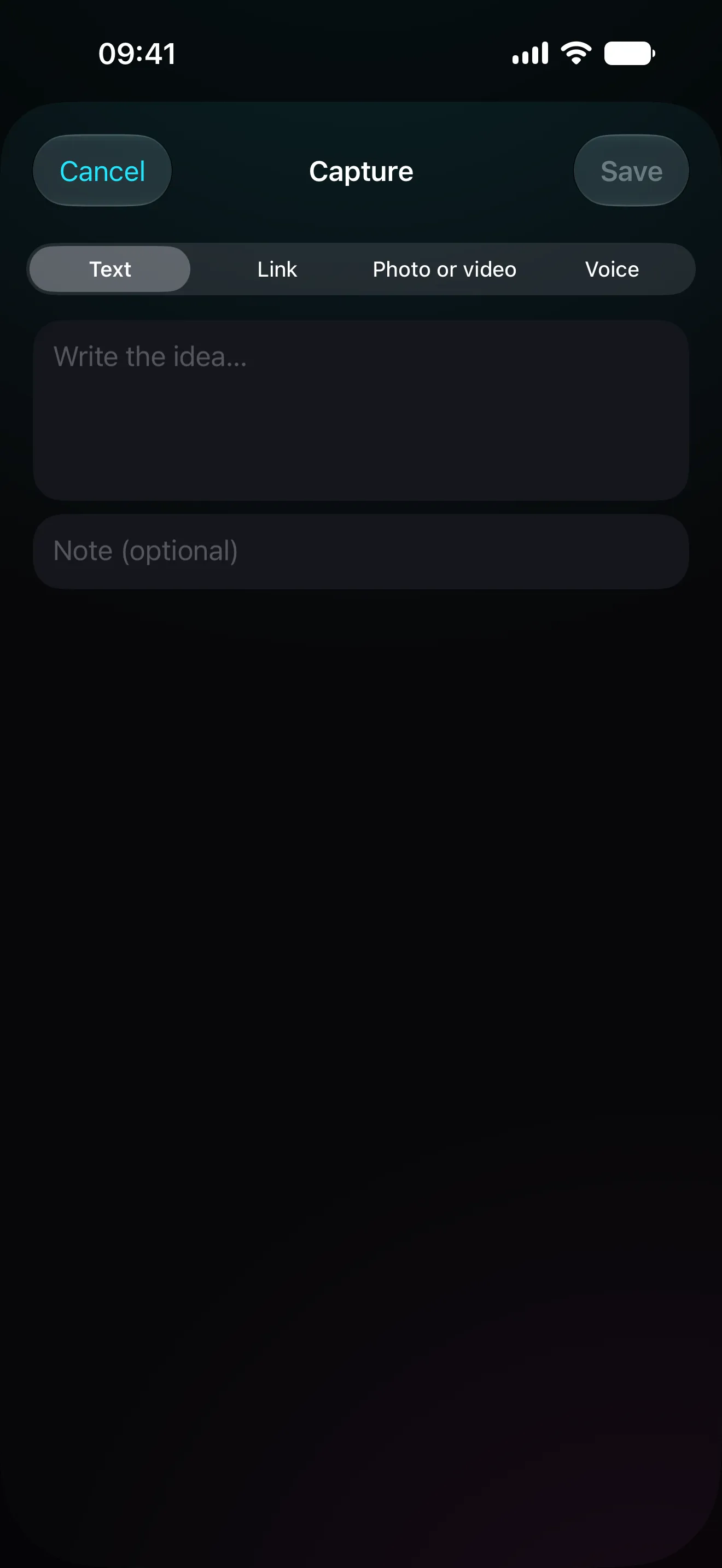
Save it in two seconds
A post, a clip, a photo, an idea said out loud. From the browser, from your phone, or from the action button. It lands with its preview and its transcript, and saving never fails because the network did.
02
By topic, not by folder
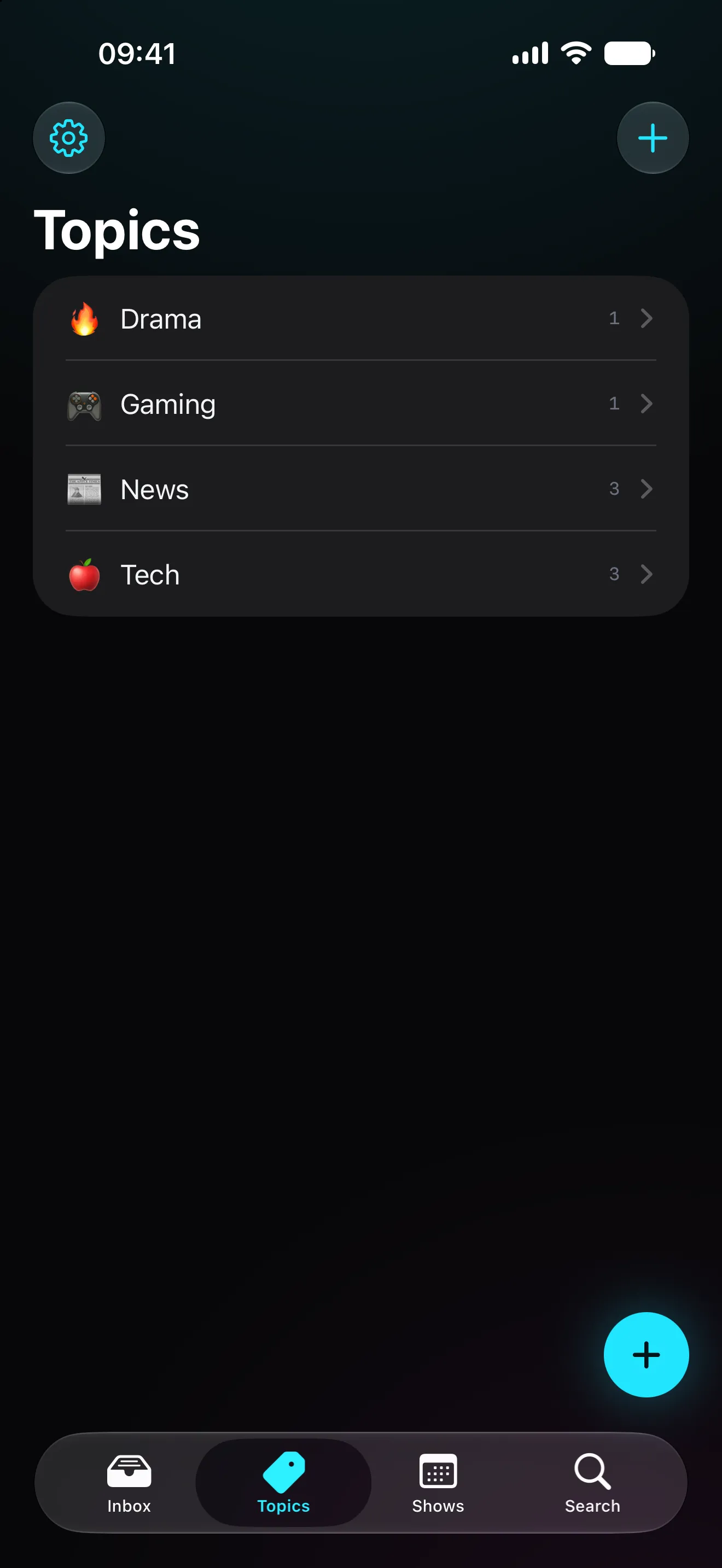
Everything you save drops into the inbox and moves on to its topics. The same clip can sit in both Drama and Games without being duplicated or filed away somewhere.
03
Your rundown, ready before you go live
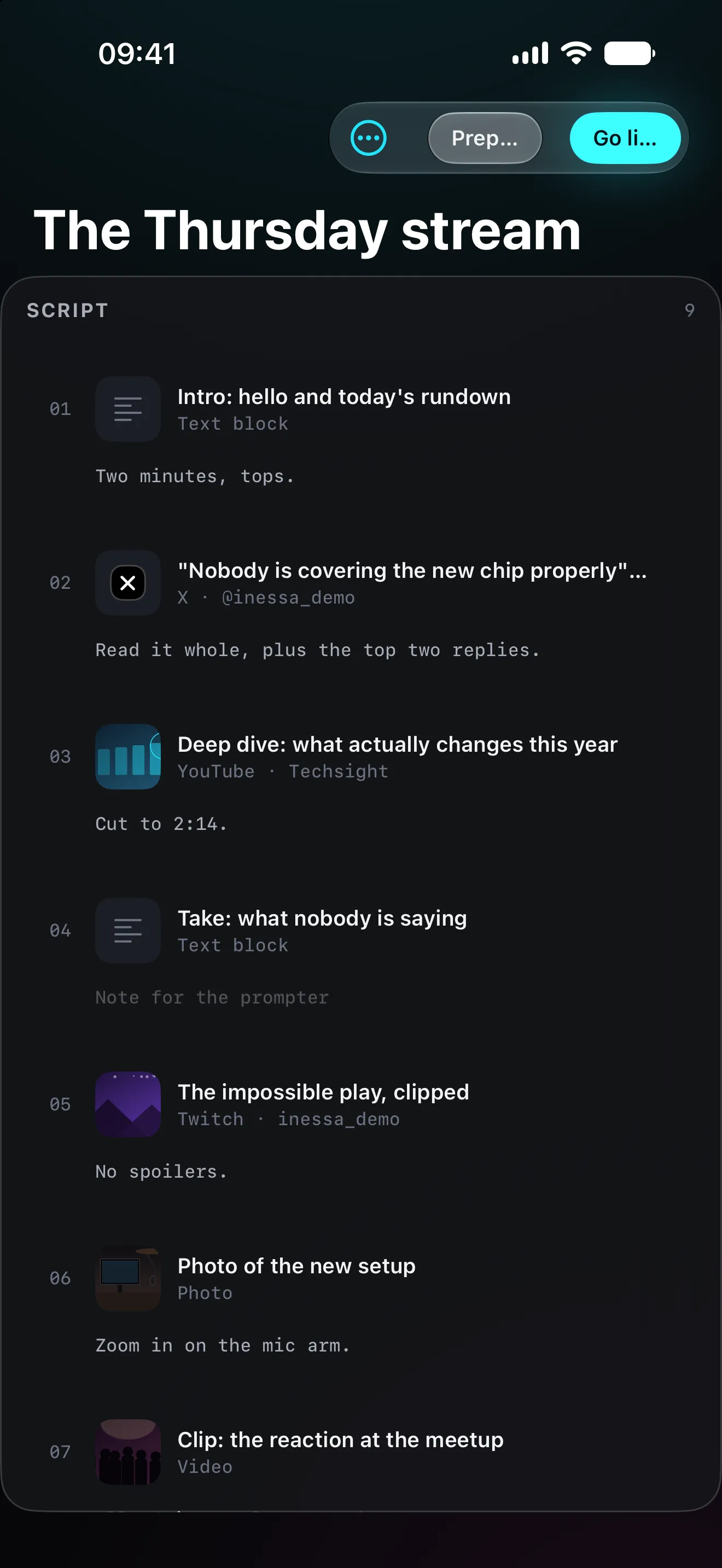
Drag in what you'll use, in the order you'll use it, with a note on what to say over each one. Once the rundown is built, the show is done except for your half of it.
On air
Three panes, and nothing slips between them.
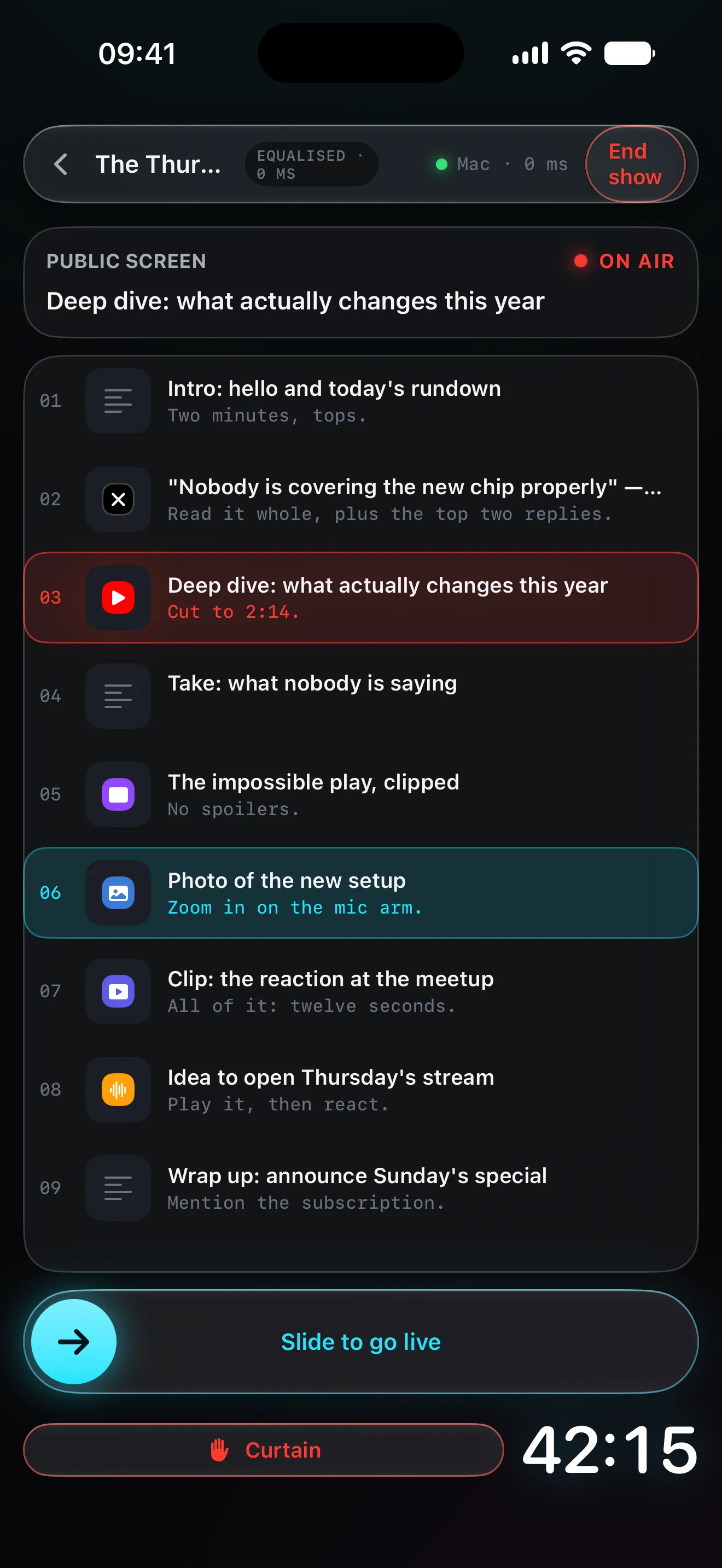
The mistake that costs you a stream is showing the wrong screen. So what you're lining up and what's going out never share a pane: they're separate columns, and getting from one to the other takes a deliberate swipe.
- Queue
- The whole rundown, in order. What you've aired, what's on now and what comes next.
- Preview
- Yours alone. Open the link, find the right minute, frame the image. None of this reaches your audience.
- Programme
- What's going out of every output, each one labelled in red so you can tell at a glance what's being seen.
Slide to go live
ON AIR
Two devices, two jobs
iPad commands, Mac broadcasts.
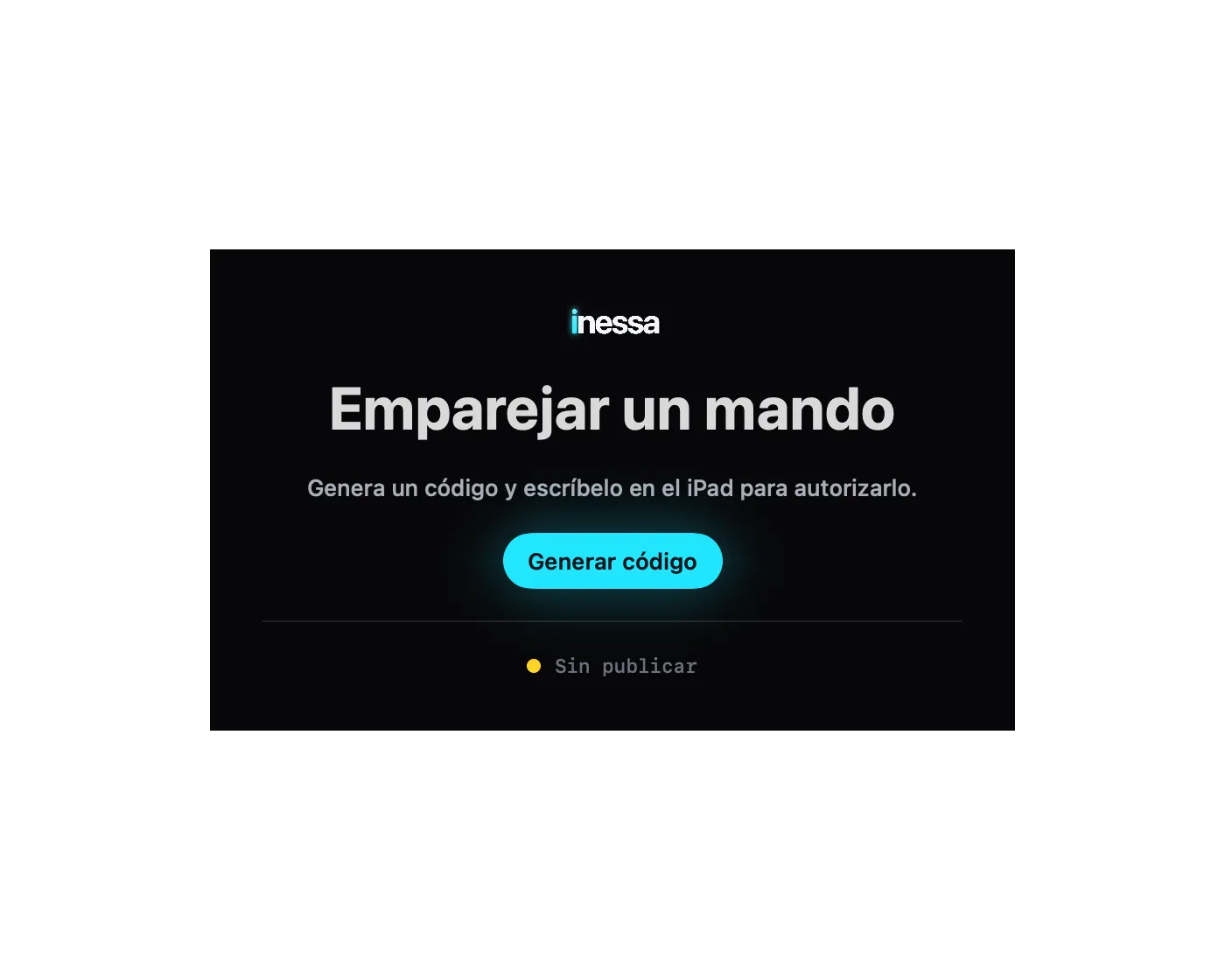
The control room sits on your lap and never touches the scene. The Mac does the broadcasting and never asks for your attention. They pair with a six-digit code over your own network, and that's it.
The controls aren't where the broadcast is
Searching, trimming and choosing happen on the iPad. Nobody watches you drag windows around or open tabs, because that happens on a different device.
You pair them once
Bonjour finds the Mac on your network, a six-digit code confirms it's yours, and the link is encrypted with its own pinned certificate. If it drops, it comes back on its own.
It works without an iPad too
The iPhone carries a compact control room and the Mac runs on the keyboard alone: space, arrows, return. The iPad is the comfortable option, not a requirement.
With your broadcast software
Windows OBS just has to capture.
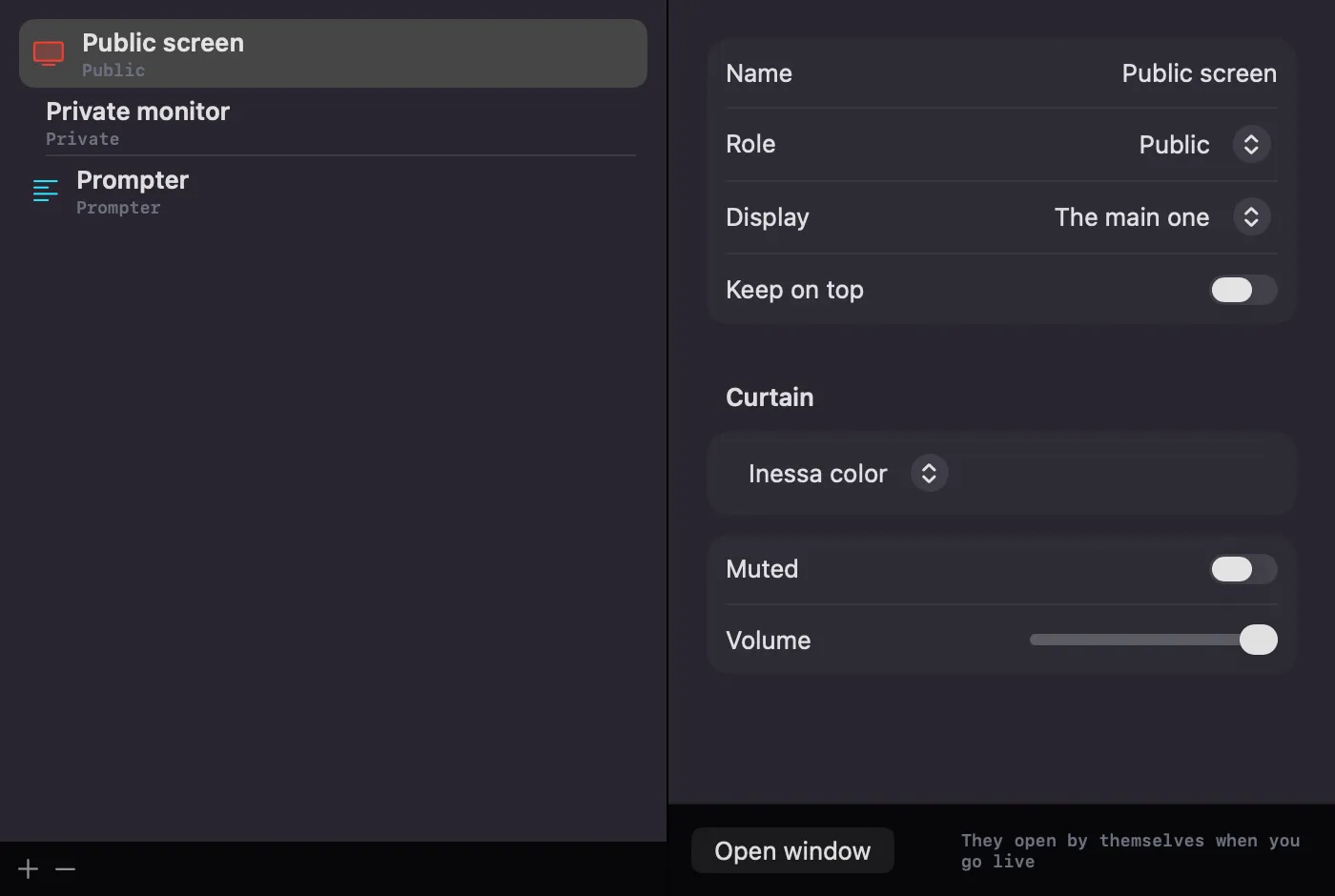
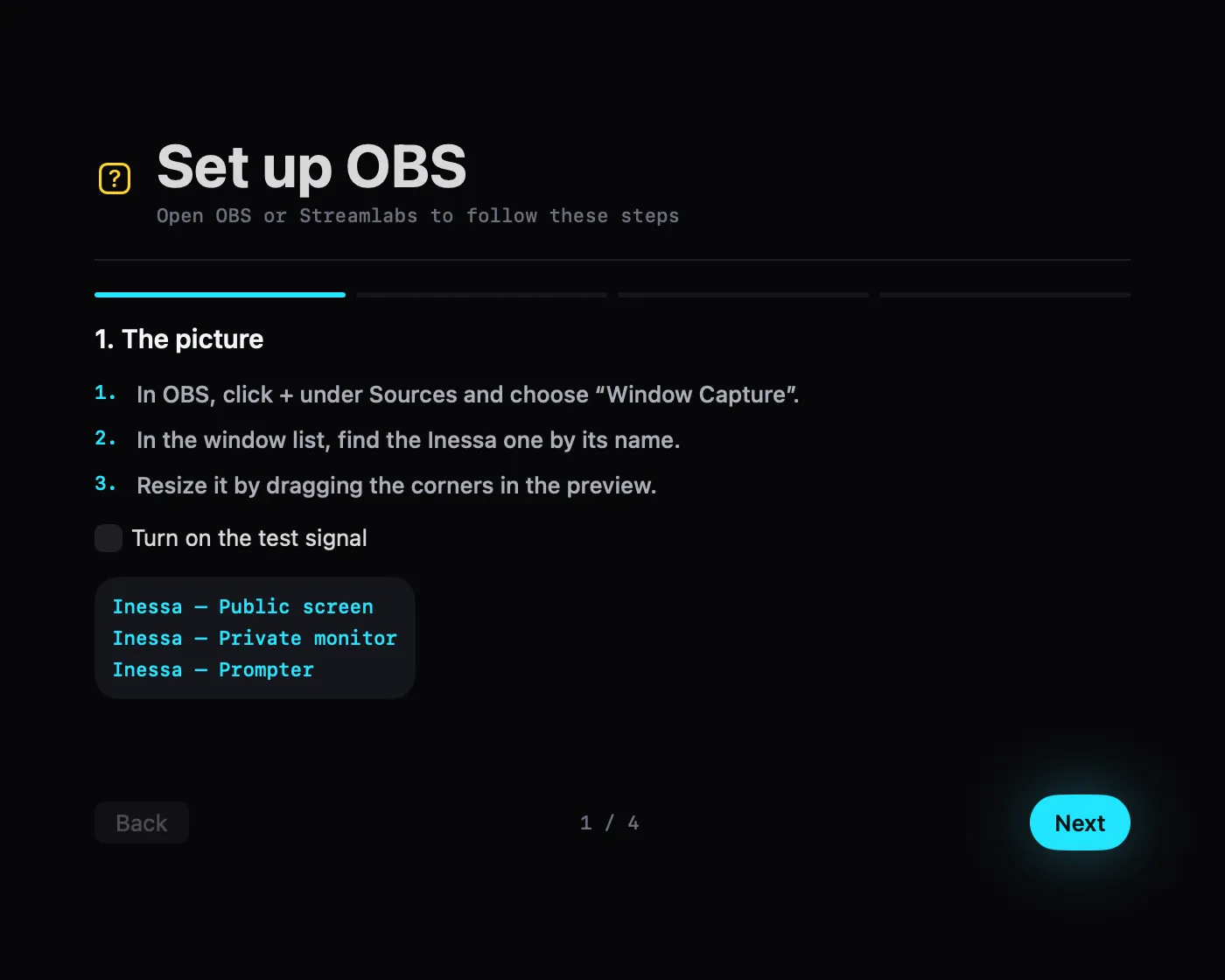
Inessa stays out of your scene and asks for no plugin. It opens windows — the public one, your private monitor, the prompter — and OBS or Streamlabs capture them like any other.
Every output has a job
The public one is what your audience sees. The private monitor is for you. The prompter is for whoever is talking. Anything marked private cannot go out of a public output, however hard you try.
Set up without guessing
A step-by-step assistant covers window capture and audio capture, and a test signal with a clapperboard and a 1 kHz tone tells you whether your video and audio are in sync.
Even when you broadcast from a PC
The control room serves its own address on your local network: paste it into a Browser Source and that PC becomes another output. No Mac in the middle.
After the show
Every stream keeps its log.
By the time you wrap, Inessa already knows what you aired, in what order and how long each one ran. That's half your edit done.
Your chapters, already written
The log exports as YouTube chapters, with an adjustable offset so the timings line up with the moment you actually hit record.
What you didn't use isn't lost
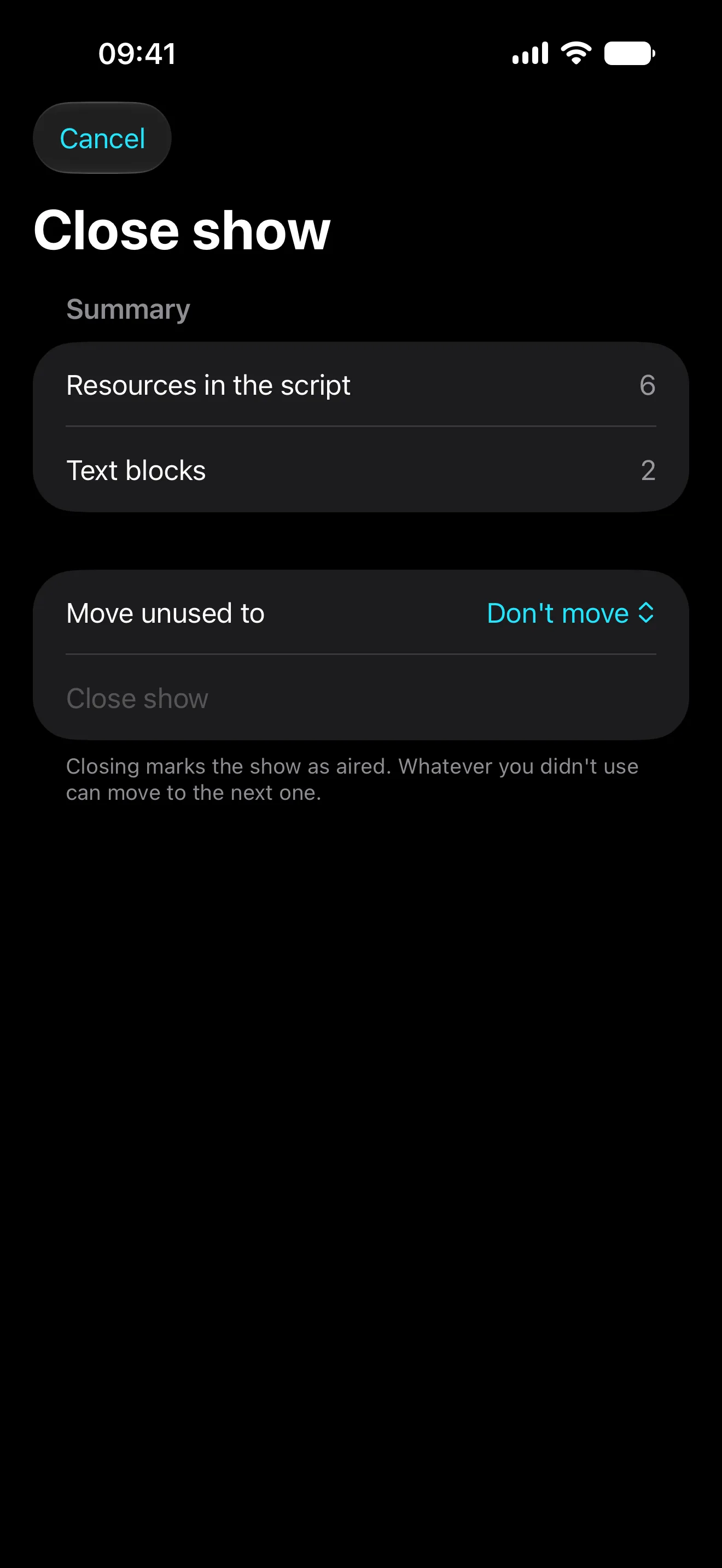
When you close the show, everything left unaired moves in one go to a topic or to your next stream. Nothing drifts back to the inbox to go stale.
€19.99 / year
One subscription, all your devices.
- iPhone
- iPad
- Mac
The control room on the iPad, the studio on the Mac and saving on the iPhone are one app and one payment.
Tell me when it's outWorth a slower read
Controlling OBS from your iPad
«Control OBS from my iPad» is really two different wishes, and mixing them up is why the tool you pick ends up disappointing. Here they are separated, with what each one costs.
How to build a live stream rundown
A rundown isn't written, it's assembled. It's a list of what you're going to show, in order, with a note on what to say over each one.
A teleprompter for solo streamers
With nobody in the gallery, the prompter stops being an autocue and becomes your only safety net. That changes what belongs on it.
Going live on a PC with Browser Source
A browser source turns any screen on your network into another output. It's the route for broadcasting from a PC without giving up control from your iPad.
Saving ideas for your next stream
Stream material turns up across the week and in five different places. Saving it well is what decides whether you have something to talk about on Thursday.
One clear price. No catch.
Before you pay you get 1 year with the whole thing, live shows included. Equivalent price in your region.
When it expires, Inessa becomes read-only: you can still open and browse everything of yours, you just can't save new things or build new shows. You never lose access to your material.
Questions that turn up before a stream
Do I need a Mac?
To broadcast, yes: the Mac opens the windows your broadcast software captures. If you stream from a PC there's another route — any browser on your network can be an output through a Browser Source. Saving and building rundowns works on any of the three devices.
Does it work with OBS?
Yes, and without plugins. Inessa opens ordinary windows and OBS — or Streamlabs — captures them like any other window. An assistant walks you through it the first time, and a test signal confirms your video and audio are in sync.
I broadcast from a Windows PC. Is this for me?
Yes. The control room serves an address on your local network and you paste it into an OBS Browser Source: that PC becomes another output, with its prompter and its public screen. The control room is still the iPad or the iPhone.
Do I need an iPad?
No. The iPad is the most comfortable control room, with the whole console in view, but the iPhone carries a compact version and the Mac runs on keyboard shortcuts.
What languages is the app in?
Spanish and English. This site is in four languages, but the app is in two, and we would rather tell you before you leave your email than after.
When does it launch?
October 10, 2026. Leave your email and we'll tell you the day it's out — and we won't write to you about anything else.
What happens when the subscription ends?
Inessa goes read-only. You can still get in, browse your topics and open the logs of your past shows; what you can't do is save new things or build new ones. Your material is left alone.
Where is everything I save?
On your device, synced through your private iCloud container. There is no Inessa server: it doesn't exist, so there's nothing to leak and nobody to sell it to. iPad and Mac talk over your local network, encrypted and paired with a code.
Shall we talk?
Done. We’ll write when there’s something worth telling.
One email when there’s something worth telling. Not one more — we promise on January’s snow.
Rather write to us directly? support@wopr.es